
Territory, Claiming & Housing
See where realm land ends, preview a claim with the Landmeter, found a city and protect a home.
A realm controls land, a city is a settlement inside that land, and a home is a private space with its own access rules. All three can occupy the same part of the map. This guide follows one chunk from the territory border to a land claim and explains how a city or a home can fit inside it.
Read the land before you claim
Open your realm through /ur and select Territory. The options depend on your role. Players with realm claim rights can open Realm Land to see how much capacity the realm has used and browse the Land list. Members can browse Cities and check their progress toward founding a city.
Switch on Borders to see nearby boundaries in the world. Walk along a boundary to see where a territory ends before choosing a chunk. Borders works independently of claiming mode.
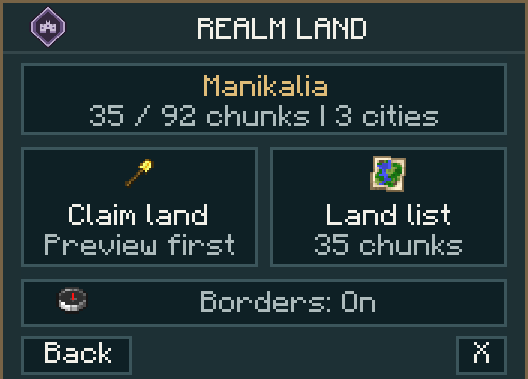
Realm Land shows how much land the realm has claimed and how much capacity is available.
In Manikalia, gold and purple particles mark nearby city and realm boundaries when Borders is on.
Claim one chunk with the Landmeter
- In Realm Land, choose Claim land and hold the Landmeter. For a city you manage, start from its City Land option.
- Stand inside the chunk you want to add. A Minecraft chunk is 16 by 16 blocks across. Check the target and the used and available capacity on the action bar.
- Right-click with the Landmeter to preview the chunk under your feet. Check the target name and chunk coordinates. A new realm claim also lets you choose whether new homes can be created there.
- Select Confirm to save the claim, or Cancel to exit the preview. If you move to another chunk or the preview expires, open a fresh preview.
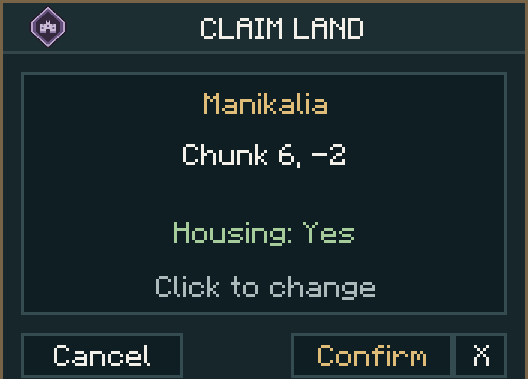
The Landmeter shows the target realm and chunk. Housing: Yes allows new homes on eligible plots. Choose No for shared ground where new homes should be blocked. Existing homes keep their protection.
A city can expand into land its realm has already claimed, provided the city has enough budget. The added chunk comes under local city management and stays within the realm.
Found and manage a city
Cities lists the settlements in your realm and those you own. My city shows how your personal realm contribution is progressing. When you meet the founding requirements, place a City Bell on eligible realm land and review the proposed two-by-two chunk square. A confirmed city starts with those four realm chunks.
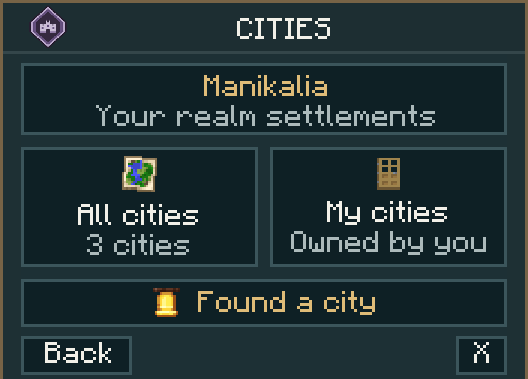
All cities opens the realm directory and My cities filters to settlements you own.
A city owner can manage citizens and permissions such as Build, Use, Storage and Animals. Housing permission lets eligible members start homes in designated residential areas. A city chunk budget sets the capacity for future claims. Each additional chunk still needs its own confirmation.
Claim and share a home
Use a fresh bed on eligible realm land with Housing enabled, inside a suitable residential area, or in a free, approved home. A player-city residential plot also requires Housing permission. Place both halves of the bed within the same chunk for a self-built home. Check the location and dimensions in the preview, then confirm to protect the home.
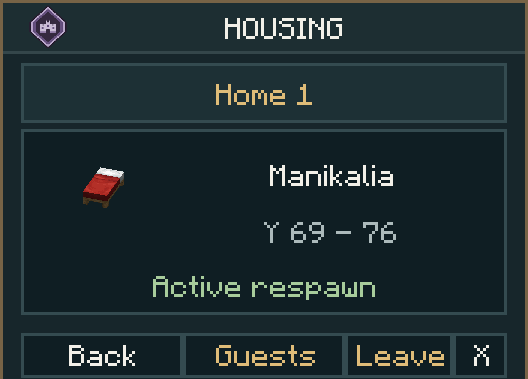
The home details show the location, height range and active respawn setting. Open Guests to manage access. A self-built home normally covers up to one chunk horizontally, with protection extending eight blocks below to fifteen above bed height.
Your first home slot unlocks at player level 5 and the second at level 50. Open /ur housing to manage each home. Housemates can have separate Build, Use, Storage and Animals permissions for each address.