
Armor & the Armory
Read the requirements, stats and perks of an Iron Chestplate, then see what changed when the same piece was reforged.
This guide follows one Common Iron Chestplate from the equipment slot to the Forge and back. The screenshots come from a single Minecraft session on the development server.
Read the item tooltip
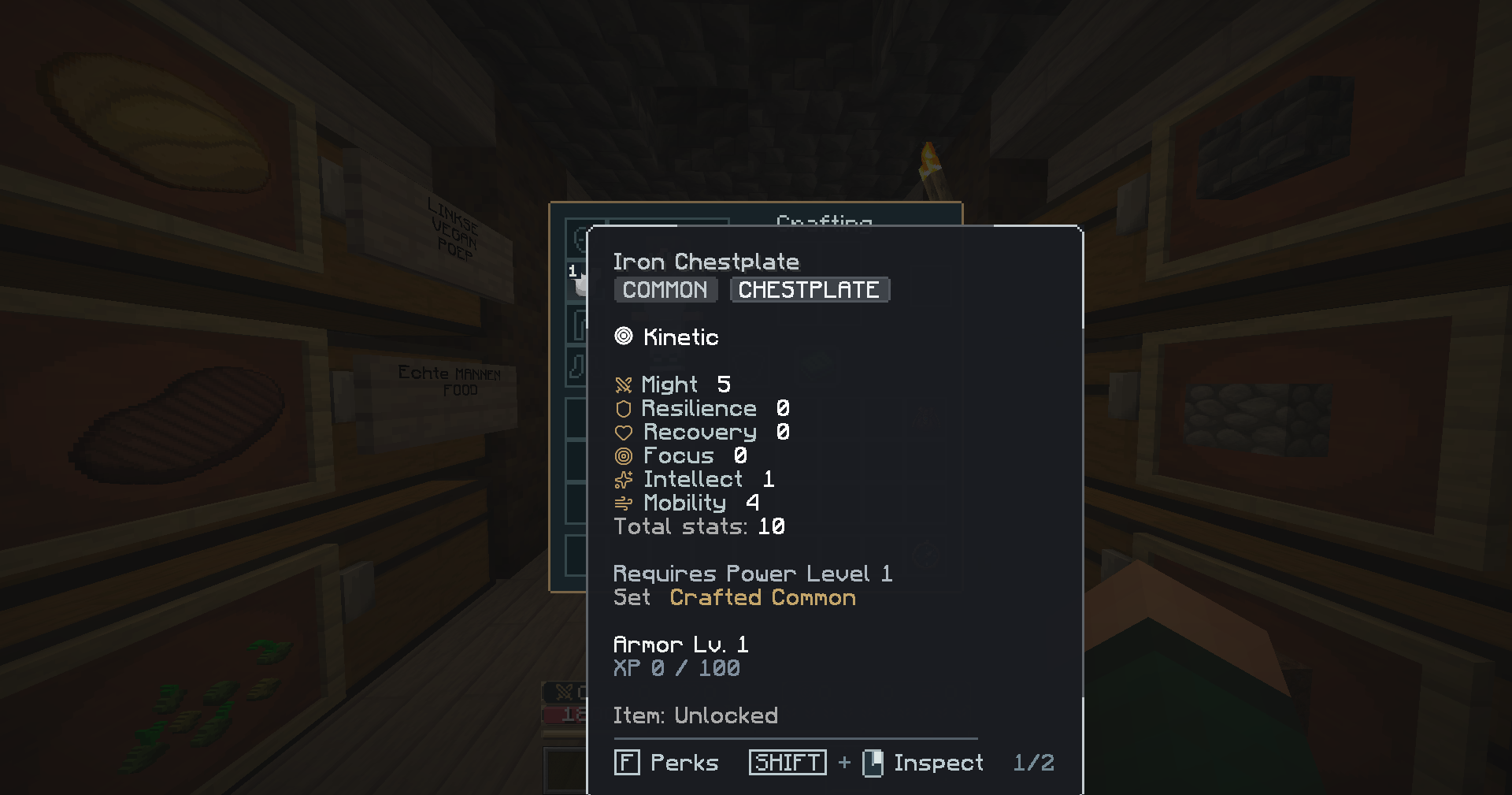
Hover over the chestplate in the inventory. Requires Power Level 1 is the equip requirement. Armor Lv. 1 and XP 0 / 100 track the progression of the piece itself. The tooltip also shows the rarity, slot, Kinetic resistance and six stats. Before reforging, this chestplate has Might 5, Recovery 0 and 10 total stat points.
Open the perks page
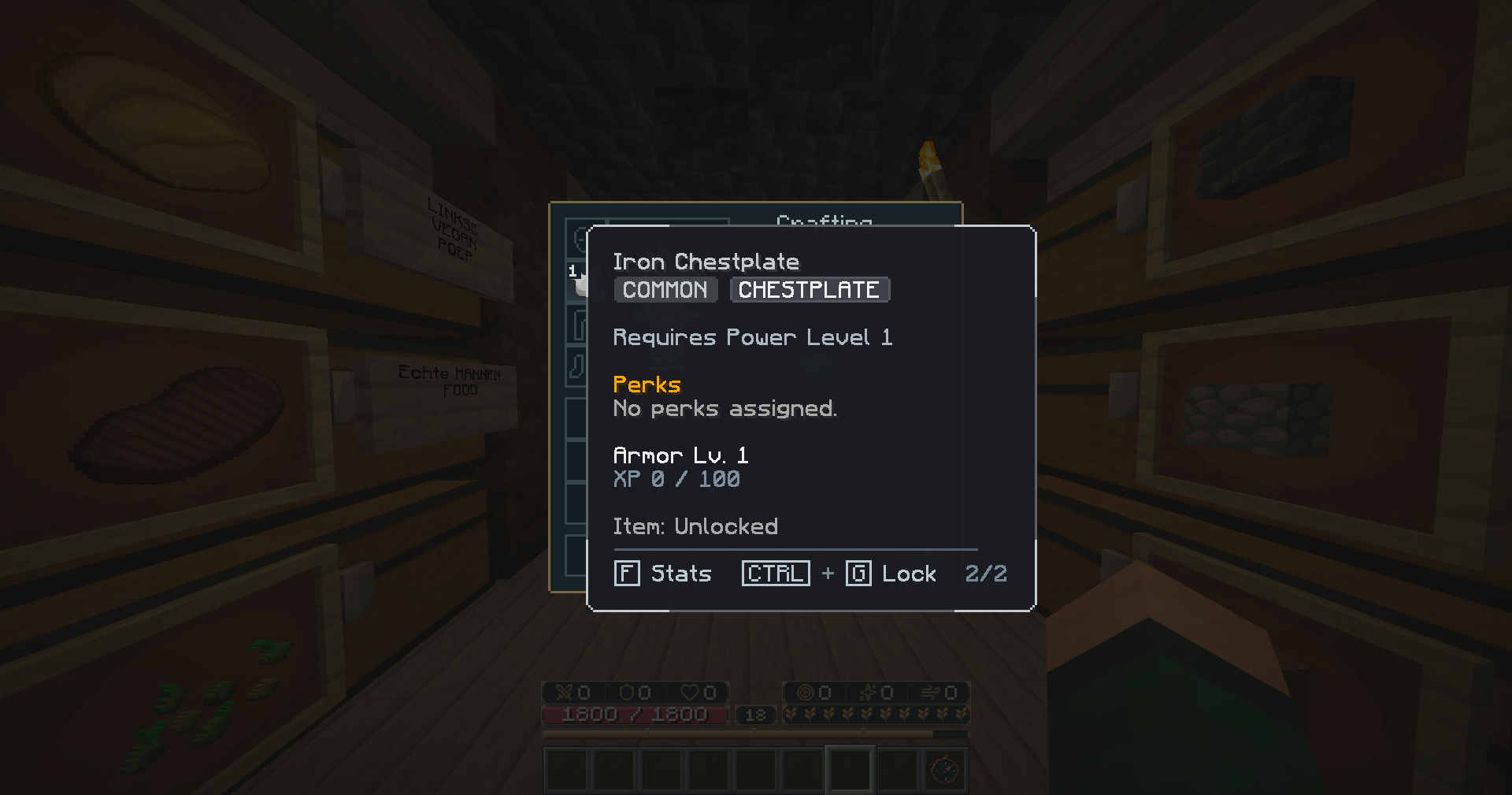
Press F while hovering over the item to switch from Stats to Perks. This chestplate shows No perks assigned. Press F again to return to the stats. Use the Armory to manage perks and the Forge to change the stat focus or resistance of a piece.
Inspect the same piece after reforging
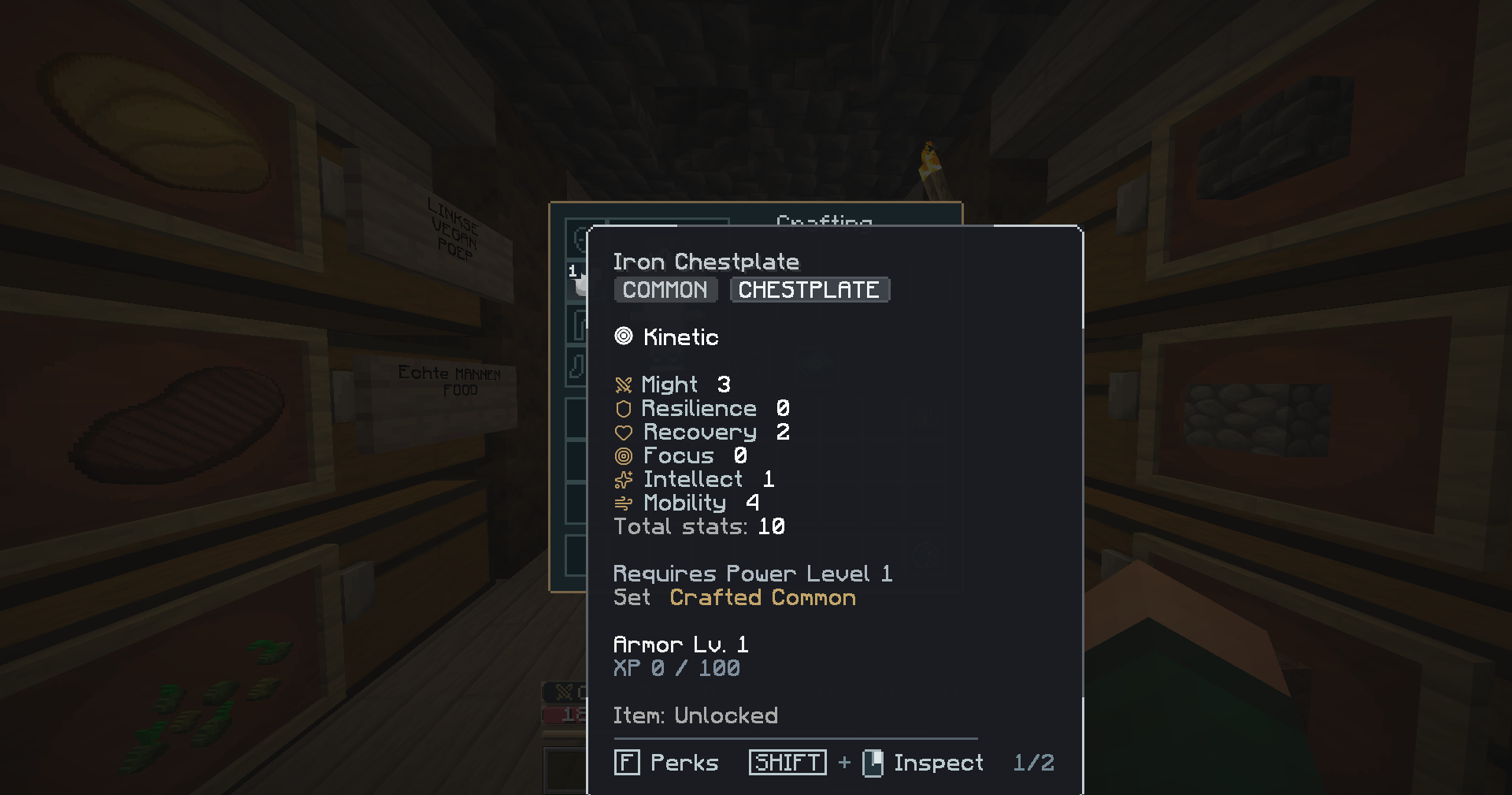
After choosing Recovery at the Forge, the same chestplate shows Might 3 and Recovery 2. The total is still 10, and the piece retains its Common rarity, Kinetic resistance and Armor Level 1.
See the Forge choices, cost and confirmation in Forge & Equipment Upgrades.